Facebook Wrapped
Revisit your Facebook years, conversations and old app eras, then make a story from the records you choose.
Wrapped
Demo data · Fictional example
Example facts
- Friend records
- 8
- Received requests
- 1
- Removed friend records
- 1
- Rejected requests
- 0
Fictional source records. Names are display labels, not unique identities or live friendship status.
Open your Facebook export
Include any supported Friends, Posts, Comments and reactions, or Apps and websites category in one official Facebook JSON or HTML ZIP. Partial exports work: cards appear only when their evidence rules are met. HTML supports current friends, verified own comments and app tables; mixed posts and reactions remain unsupported.
No export yet? Try Demo to explore Facebook tools with a fictional archive.
What to include for this task
- Friends and comparison
Friends and Followers
Original JSON or supported HTML ZIP - Messenger and private albums
Messages
Original ZIP; supported JSON or HTML threads - Time Capsule
Posts, Comments and Reactions
Original ZIP with the selected history categories - App Time Machine
Apps and websites
Original ZIP; recorded status is not a live permission check
Wait for the platform to finish preparing the download. Keep the original folder structure and choose the supported files together. A category that was not exported is unavailable, not empty.
Memory only. Clear the export, reload or close this tab to forget it. No ZIP is uploaded or saved.
Export help and limits
Limits: one ZIP up to 2 GB, 10,000 entries, 20 MB per supported file and 60 MB expanded. ZIP64, encrypted and split archives are unsupported.
Explore Facebook tools
Choose a tool for the records your export contains.
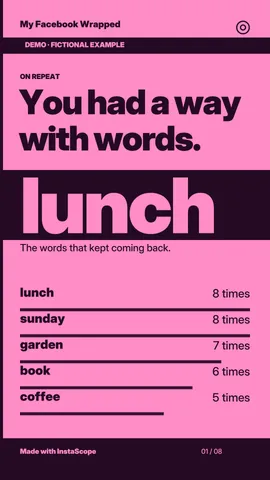
My Facebook Wrapped
Create Facebook Wrapped from supported export records on your device. Review your words and recorded chapters, then download PNGs, a ZIP or share.
Open toolProfile picture viewer
View a publicly available profile photo or open a photo from your device.
Open toolFacebook Friends Explorer
Explore friend records and recorded connection dates from your own Facebook JSON or HTML export, locally in your browser. No login or archive upload.
Open toolFacebook Messenger Library and Analyzer
Browse exported Messenger chats, search messages and explore words, emoji and activity locally. Create a conversation Wrapped without uploading your chat.
Open toolFacebook Time Capsule
Revisit exported Facebook posts and comments by year. Search your words and compare vocabulary locally, with coverage based on supported export files.
Open toolFacebook App Time Machine
Explore historical app names, exported statuses and recorded added or removed dates from your Facebook export. Local analysis, without a live permissions check.
Open toolFacebook Friends Comparison and Snapshot Vault
Compare two Facebook friend exports locally. Review duplicate-name limits and source coverage, then save minimal snapshots in your private browser Vault.
Open toolHow it works
Personal data should stay personal.
Your export is processed on this device. No account access or archive upload is required.
Before you start
Where is my export processed?
Your archive is read and analyzed in your browser. The example preview uses separate fictional data and never replaces your working export.
Does this show live activity?
Results describe the records in the export you choose. Available files, dates and source coverage determine what each tool can show.
What is saved?
The working export stays in this tab's memory. Optional Vault snapshots are saved only when you choose them; downloads and sharing also require your action.